

AI UGC: put a real product in a shot with a cast creator
How to bind a cast person and a real branded product into one generated clip, so the label reads correctly and there is exactly one of it on the counter. The two-reference method, and the two ways it goes wrong.
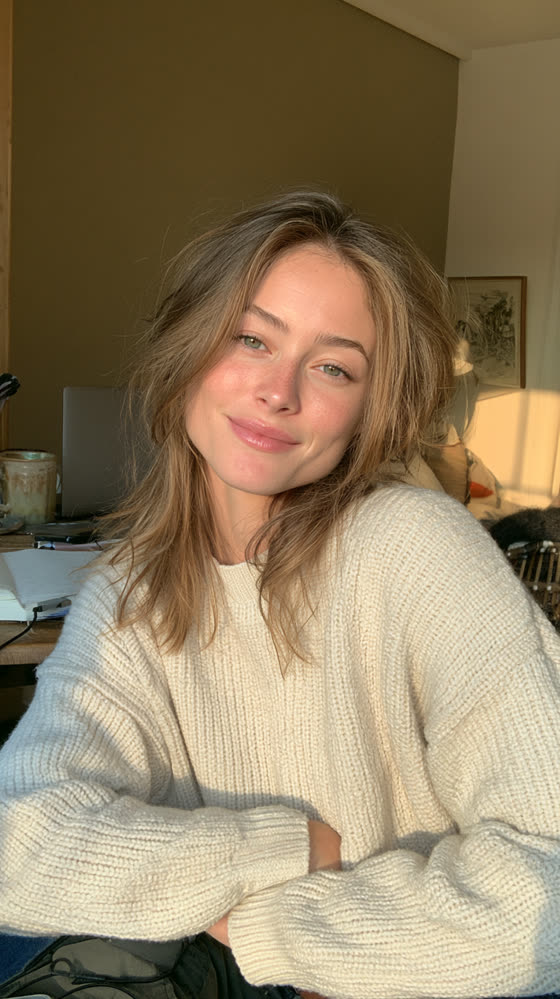
That clip has two things in it that did not exist in the same place before the render: a person who appears in eleven other shots of the same film, and a carton of Califia Farms Organic Coconutmilk with its real label on it.
Both went into one generation call as reference images. It starts where casting ends. Casting gives you a person who holds across shots. This puts something real in her hands.
Bind two references, not one
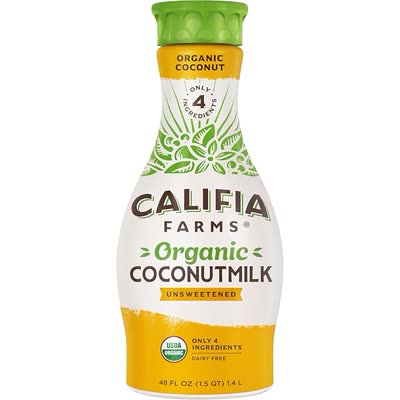
The product reference does not need to be good. It needs to be legible. A plain retail packshot carries the label artwork, the type and the colour, which is all the model has to reproduce. A moody lifestyle photograph of the same bottle carries less usable information, not more.
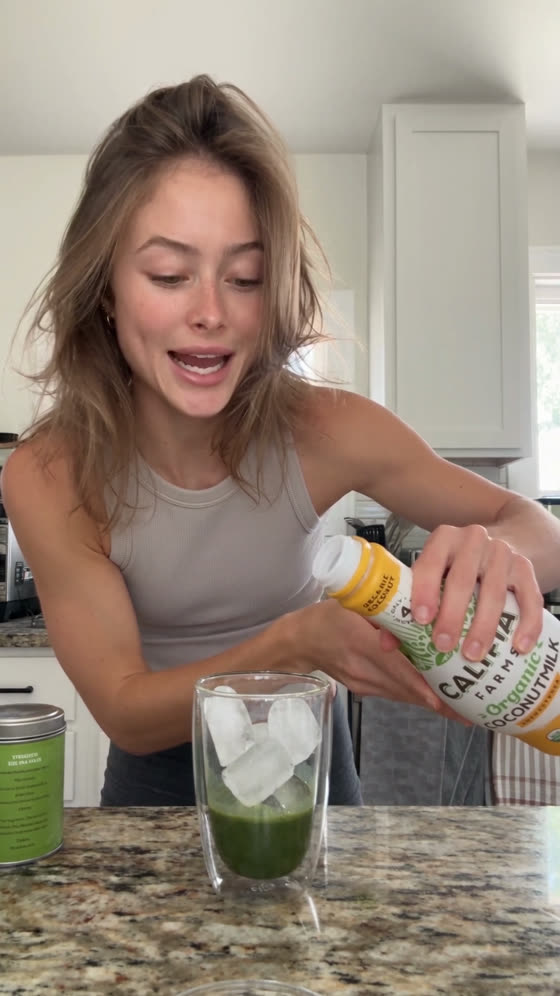
The whole prompt that produced the clip at the top of this page. Every section below is one clause out of it.
@Image 1 defines the woman's face, freckles, eye color, and hair. Do not carry its wardrobe
or its background. @Image 1 defines one woman, and this shot contains exactly one woman.

@Image 2 defines the milk container: its packaging, label artwork, brand marks, shape and
colour. Do not use its background, its lighting or its scale. The milk container in this
video is that product and only that product, and there is exactly one of it in the shot. Do
not duplicate it and do not place a second carton anywhere on the counter.

Where @Image 2 conflicts with the scene, the kitchen and its light win. Only the product
itself comes from @Image 2.

Vertical 9:16. One continuous shot, 15 seconds, no cuts. Shot on a phone. Bright, a little
too clean, no film look, no colour grade, no grain. It should look like social media video,
not like cinema.

All spoken dialogue is in English, with a neutral American accent.

Kitchen, morning. Her phone is propped against something on the counter so both her hands are
free, and she is talking to it while she makes an iced matcha: tin, whisk, a glass, ice. The
milk container from @Image 2 sits on the counter within reach. Bright window light, slightly
flat and slightly too even. Real counter clutter behind her, not styled.

She is upbeat and fast, the way a good creator is, playing to the camera. She keeps making the
drink while she talks and never stops to deliver a line. Partway through she picks up the milk
container, pours it into the glass, and sets it back down, keeping its label turned toward the
phone as she pours.

"I have a confession."
(beat)
"I'm a matcha addict."
(beat)
"I literally can't live without this new brand of matcha that I found."

End state: the glass is made and sitting on the counter next to the single milk container, she
is looking at the phone, smiling.

Audio: her voice close on the phone mic, with room tone. Kitchen sounds throughout: whisking,
ice, pouring. No music.
Each reference is told what it defines and what to ignore. Image 1 gives the face and is denied its wardrobe and background. Image 2 gives the packaging and is denied its background, lighting and scale.
A packshot is lit on white, and that lighting will follow the product into your kitchen. One line settles it in advance:
Where @Image 2 conflicts with the scene, the kitchen and its light win.
Exclude the extra instances, or you get four cartons
A product reference is exactly the kind of material a model duplicates around a work surface. Show it a carton and a counter and you get three more, spaced out like a planogram.
The milk container in this video is that product and only that product, and there is exactly one of it in the shot. Do not duplicate it and do not place a second carton anywhere on the counter.
Name the number, ban the duplicate, ban the location. The same paragraph does it for the person too: “@Image 1 defines one woman, and this shot contains exactly one woman.”
Check it on every take. Duplication fails quietly. The frame looks right until you count.
Name clutter for the background, never for the surface
This prompt asked for “real counter clutter behind her, not styled.” Here it was harmless. The same phrasing on another beat returned two dozen cotton swabs across the counter and the mirror shelf.
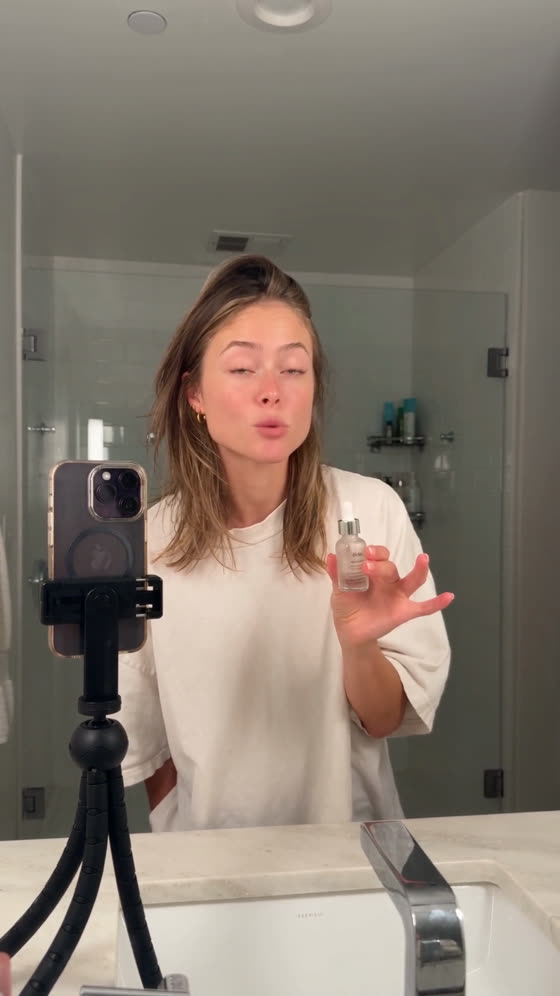
The difference is position, not wording. Clutter in the background at a distance is texture, and the model fills it in plausibly because nothing has to be readable. Clutter on a foreground work surface is a category it has to populate with invented objects, close to camera and in focus.
Name clutter behind her and let it blur. Name what is on the surface item by item, or leave it bare.
Let her keep doing the thing
She keeps making the drink while she talks and never stops to deliver a line.
That is the difference between a creator video and an ad. An ad stops the action to say the line to camera. A creator talks while their hands stay busy.
The only staging in the whole prompt that exists for the brand is buried inside an action she was doing anyway: “keeping its label turned toward the phone as she pours.”
Keep the phone register
Bright, a little too clean, no film look, no colour grade, no grain. It should look like social media video, not like cinema.
Say it as a comparison, not a setting. “No colour grade” is a parameter, and a model can satisfy it while still handing you something cinematic. “Looks like social media, not cinema” is a target.
A product lit well is a commercial. The same product on a slightly overexposed counter under mixed kitchen light is content.
File the reference the moment you use it
The product image sat on a Desktop during the render and was cleared within days. The take survived, but for weeks it could not be re-run, because the thing it was conditioned on no longer existed.
A reference that lives outside your project is a dependency with no record.